Posted on

STEAMwhiz, Physical Computing, & Raspberry Pi’s, Oh My!!

STEAMwhiz

We are gearing up to reach more early education students across the good ol’ US of A in the latter half of 2022 (stay tuned). Our mission is to empower more students with the knowledge to become innovative problem solvers that will prepare them for their future, not our past. Our Co-founder and Program Director Allie and I have worked at all levels of the nation’s education system, from public school teachers to curriculum developers at National Laboratories to doing fundamental research at the highest levels of science in America to working at Fortune 100 companies! We are creating both in-person labs and digital courses (coming Fall/Winter 2022) to pass this knowledge on to the up and coming generations. This means that we are not developing one-off projects but a deep curriculum for students rooted in (S)cience (T)ech (E)ngineering (A)rt (M)ath to provide the fundamental and technical acumen to become the innovative problem solvers of tomorrow. You might ask why STEAM? Well, we believe that these fields have a bright future that will not only provide excellent careers for young students but allow them to be creative in amazing ways and exploits their natural curiosity about the world around them. By tapping into their potential, as early as 6 years old, we believe they will be able to find solutions to the novel and difficult problems they will face in the future!

Physical Computing

An amazing development in the last decade or so is the accessibility of Physical Computing for young students! What is physical computing and why is it important? Well we know computing is related to computers right 😋 let’s give it a bit more of a formal definition

COMPUTING is any goal-oriented activity requiring, benefiting from, or creating computing machinery.

Wikipeda

In other words, it’s the use of a computer to accomplish some goal or task. This typically resides inside of the computer in the virtual world. Some examples are creating a scientific model to predict the weather or writing a blog post like this one 😄

Now we add the word PHYSICAL to the term COMPUTING and we move out of the virtual-only world and interact with the physical ‘real’ world as well.

PHYSICAL COMPUTING involves interactive systems that can sense and respond to the world around them.

Wikipedia

Sometimes it’s easier to see than to read, so below are some fun examples from MIT Maker Resources for K-12 Educators.

This is basically at the heart of all our technology; bridging the human physical world with the virtual technological one! Now imagine the amazing creativity and ingenuity that the next generation of students can explore with these tools at their disposal, if we transform the when, what, and how we teach them!

Raspberry Pi’s

The GP (i.e. General Purpose) are the PINs used for physical Computing

Ok, so how does the Raspberry Pi fit into all of this? The Raspberry Pi is an amazingly powerful, little single-board computer that is relatively inexpensive for students to explore Physical Computing. What makes it different than any other computer? While it is a ‘normal’ computer that can be used to browse the internet, write a document, and code a program, it also has an amazing suite of programs geared for kids to explore computing! Moreover, it has special PINs called General Purpose Input Output PINs (aka GPIO PINs) that allow the Raspberry Pi to connect to sensors, lights, motors, actuators, buzzers, pumps, and so much more. It bridges the physical world into the virtual one like the videos above!

STEAMwhiz Pi

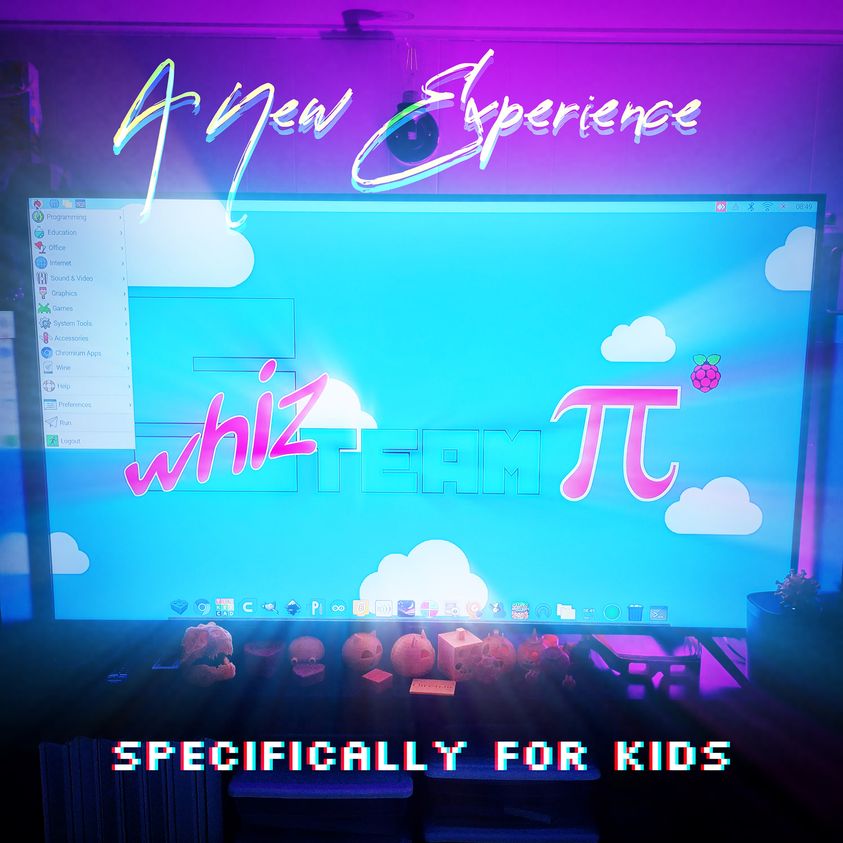
One challenge of the Raspberry Pi is that there is a barrier to entry that requires a certain level of technical understanding to really unlock its power. So what we have done at STEAMwhiz is create a wonderful plug and play solution for parents and students, which we call the STEAMwhiz Pi 😅

The STEAMwhiz Pi (pictured above) is basically an exact clone of what we use in our in-person labs, with a touch screen and the exact software configuration we use to teach our students throughout the academic year! This allows for our students to continue working & innovating at home well after they leave the lab. Bonus they can use it for their school work too, as it’s a full-blown desktop computer!

Isaac putting in the work at home and doing physical computing after lab!

Where is this all going? Well, while there are great tutorials online and fun project boxes, most are not really targeting early education & holistic curriculum development. So it is possible for some very driven students to learn, but it’s mostly geared toward an older audience through standalone disconnected projects. In Q3 & Q4 of 2022, we will begin the rollout of our STEAMwhiz app to deliver STEAM courses specifically targeting early education which will be a full-blown curriculum to provide our decades of experience to students across the country in a fun animated storybook fashion. The STEAMwhiz Pi is the first step so parents can just plug and play a system for their children to begin exploring the world of physical computing! You can learn more about the STEAMwhiz Pi here.

Getting Started in Physical Computing

In the meantime, while we roll out our STEAMwhiz app, we encourage our students and parents to check out the links below to get started in the world of physical computing and get those inquisitive minds working! Feel free to reach out if you have questions or comments and we will be happy to engage.

Python & Physical Computing

A nice tutorial to get started with Physical Computing and Python!
https://projects.raspberrypi.org/en/projects/physical-computing/0

This tutorial introduces some basic electronic components and how to use a great coding language called Python to control LEDS, buzzers, and more! Python is ubiquitous in research and industry throughout the world and is an excellent first coding language to start out with.

Scratch & Physical Computing

A nice tutorial to get started with Scratch and Physical Computing
https://projects.raspberrypi.org/en/projects/physical-computing-with-scratch

The tutorial above introduces physical computing using a drag and drop visual block coding language known as Scratch. If you are unfamiliar you can read more about it in our other post here. We recommend this for students who can read and write but are just starting to dip their toes into coding.

Once you have gone through the tutorials above you can check out more here fun projects from the Raspberry Pi Foundation.

Posted on

February 2022 Headlines

STEAMWhiz Academy

Beating the Winter Blues

The weather may be colder and the days shorter, but we’re STEAMin’ it up with Winter’s Semester: Water, Fire, Coding & Robotics. The hits coming this month with in-person EVENTs like ‘make & take’ MakerLabs and Minecraft Challenge Nights @STEAMwhiz Lab HQ!

STEAMwhiz Year-Round Programs

  • Never to late to Join

    If we have a seat, get started today!

  • Winter Semester

    Now – Mar 18 | Robotic Arm Water Fire Extinguisher

  • Spring Semester

    Mar 21 – Jun 17 | Automated Watering Flower Box


Click below to learn why STEAMwhiz uses Scratch

Free & Fun
Thinking + Doing @ Home!

Sign-up for a free Scratch account @https://scratch.mit.edu/ and unleash your child’s creativity


In-Person Events

In the NY Capital District? Get hands-on with Science + Design + Fabrication tools such as laser-cutter, 3D printers, sublimation and heat press tech, CAD software, image manipulator & vector design software, classic hammer + nails, and more! Check out our monthly MakerLab Events below and make something cool using science, technology, and engineering.

Feb Break SciTech Mini-Camp

Light it Up! The Science of Light

February 21st – 25th

  • Advance Learning

    Empower the NextGen ‘thinkers & doers’

  • Deep Fundementals

    Scaffolded labs result in deeper understanding

  • Innovate

    Apply fundamentals to be creative problem-solver.

macbook

Snowflake & Laser Lab

February- Sat. 5th @10-11:30 AM

Explore the science behind snowflakes, design a unique snowflake using geometric patterns in CAD, and learn about the laser cutter tech used to fabricate your design. ‘Make & Take’ home your very own custom, laser cut snowflake design!!

macbook

3D Printed Heart Box

February – Wed. the 9th @ 5:30-7 PM, Sat. the 12th @ 10-11:30 AM

Share the love with a 3D Printed, CAD-designed heart box. Experiment with cloning shapes, negative space design, and custom text to make this a ‘one-of-a-kind’ expression of LOVE!

macbook

Minecraft Challenge Nights

February – Fri. 19th @ 7-8:30 PM, Wed. 23rd @ 5:30-7 PM

TEAMWORK! Kids come to the lab w/friends and the STEAM-Team creates large challenges designed for group interactions, team strategizing, and fun!

macbook

Awesome Dry-Erase Lab

March – Sat. 5th @ 10-11:30 AM, Wed. 23rd @ 5:30-7 PM

Choose & laser cut your dry-erase character. Learn to use vector-graphic software to personalize them. Use sublimation technology to transfer your design to the white-board.


Gearing up to build our Robot Arm

Winter Semester Fun!

Our students are learning so much and having a blast doing it. Are you looking for more for your child’s edu? We are transforming how they learn & developing a growth-mindset early! Registration Open.


Want to stay in-sync with STEAMwhiz? Create an account and never miss a beat =)

Posted on

We love our MOMs!

Come to the lab and have your kids create, learn, and give mom a gift that keeps giving! Together with the STEAM-TEAM, they will use the laser engraver and illustrator software to create Mom a customized flower box for Mother’s day.

They will pick the seeds of their choice, from flowers to herbs, add soil and plant them. Just show up and we will do the rest!

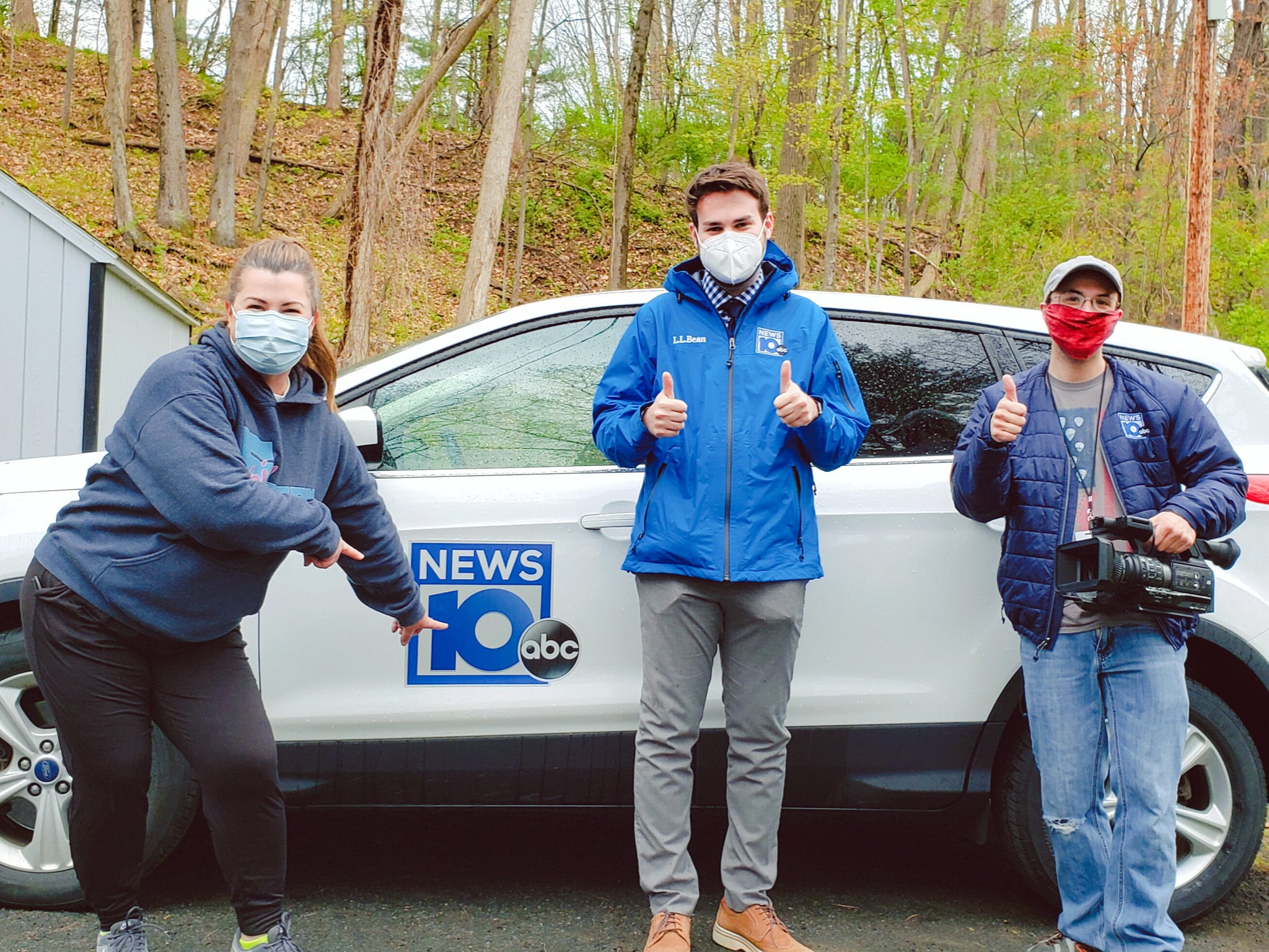
Here is a great piece on the Makerlab event by our local WTEN news =)

https://www.news10.com/top-stories/steamwhiz-helps-kids-build-a-fun-and-scientific-gift-for-mothers-day/

Posted on

Moon Hunt #3 – Why is half the earth bright?

This is part 3 in the STEAMwhiz’s Moon Hunt Series. Before we understand the moon, we have to understand some basics about the earth. Here we explain why half the earth is bright. Make sure you check out the prior video and see if you can answer all the questions beforehand!

Click the YouTube button to subscribe and support us! If you really enjoyed please consider sharing and like the video.

Posted on

Moon Hunt (Jan 15th, 2021) – Questions #1

If you have had clear skies at night, I wonder have you been able to see the moon? Have you thought about what happens each day as you look up into the sky? What do you see? Here are a few more questions that might get some juices flowing 😉 We will follow up with some more content soon.

Click the YouTube button to subscribe and support us! If you really enjoyed please consider sharing and like the video.

Posted on

Moon Hunt (Jan 12th, 2021) – Activity #1

Overview

Over the next several weeks we will track how the moon orbits the earth. We will make keen observations, ask insightful questions, and learn together as the moon goes through its phases. It will be fun for the kids (maybe even adults) to understand the fascinating physics that happens every day and we may take for granted!

If you can, take pictures of what you see each night and you should have a nice montage of the phases of the moon!

Phases of the moon
(Image Source: https://www.skyatnightmagazine.com/space-science/why-does-the-moons-appearance-change/)

Where’s the moon?

Do you think the moon is in the night sky every night? Maybe you think it comes above the horizon at night but it’s dimly lit, obscured by clouds, or only a tiny sliver showing making it hard to see? Tonight and over the next several nights, look to the south-southwest horizon at sunset and see if you can find it. If you can, take a peek several times throughout the day (look around the sun), at dusk/dawn, and at different times at night, and convince yourself you didn’t miss it. If you are in the Capital Region like us tonight will have some light cloud coverage but tomorrow night will be excellent to view the night sky.

Dusk – the transition from day to night. Peak twilight just after sunset before the night begins.
(Image Source: https://pxhere.com/en/photo/73648)

Posted on

COVID-19 & Winter Session Update – 1/11/2021

Hi everyone, we are tracking the numbers and our plan to start Winter Session on Jan. 18th. It is clear that travel and the holidays have made an impact and caused a spike in the local cases. Looking more carefully at the data, we are hopeful though that we will be able to return to the lab soon. We will make a final decision toward the end of the week as new data becomes available.

Total Active COVID-19 Cases

For reference we are over 2 times the daily infection rate than we were in late November/early December, 255 (now) vs 100 (then) new cases a day but it does look to be flattening out.

Number of new daily cases

If we look at the number of COVID-19 deaths in NY, it’s clear we are much better at treating COVID-19 than we were at the start of the pandemic, as the number of cases is much higher now but the number of deaths remains much lower.

Daily Death rates for all of New York

Locally in Albany, we are roughly at 1-3 deaths a day for the last month or so mostly from adult care centers/nursing homes. In light of the ability of hospitals to treat COVID-19 effectively, it is imperative local hospitals remain well below capacity. Hospital and ICU capacity in the capital region is at 23% and 18%, respectively, and we are not classified as a hotspot in the state of NY. The zone classifications are based on microclusters and hospital capacities.

Hot spots in the State of NY

If we look at relevant school numbers in our local area, there have been no new recent cases which is encouraging. This follows trends that have shown schools are safer due to the controlled environment and prevented policies in place to protect students. At the STEAMwhiz lab, we have set up even more stringent protocols to make sure our students are safe. In fact, this 2-week delay is a proactive measure we took to ensure our student’s safety! Let’s see how things shake out by the end of the week.

Guilderland Elementary COVID-19 report card
Hamagrael Elementary (Delmar, NY) COVID-19 report card

Finally, we are reaching out to STEAMwhiz parents regarding STEAMwhiz masks for use during labs. We have fabricated 40% of the masks for STEAMwhiz students and hope to finish them in the next week or so. Be on the lookout for a message from us in the near future. Thank you for your patience and we look forward to having the students back in the lab soon!

STEAMwhiz masks for our local students
Posted on

Winter Session 2021 Update

Hi everyone. In light of the increased travel across the country, high daily hospitalizations in our area, and a possibly highly contagious mutated strain of COVID-19 detected in the states, we have decided to postpone the start of the winter session for a couple of weeks. We will reassess based on how things go. For those who have RSVP’ed, no need to worry about being charged. We won’t start monthly billing until after the winter session starts, so sit tight. We are hopefully that January won’t be as bad as predicted in our local area.

Join and stay connected on STEAM Connection. There are great activities to keep the kids engaged!

In the meantime, we will work on getting activities together for our STEAMwhiz kids! Stay tuned and be safe everyone!