What is Minecraft & How Can it Teach 21st Century Skills?
Don’t let the blocky design fool you into thinking this game is basic!! There are ‘deep layers‘ to Minecraft (pun intended for my Block Heads 🤣). For parents trying to figure out what Minecraft is and if it’s safe I understand! Answer: Yes, it is safe. I learned to play the game in order to figure that out myself. Now it’s an immersive family activity where we all can have fun together. It does have some exciting & maybe even scary characters for little ones like zombies and endermen. Word of caution, it does introduce the concept of ‘killing’ whether it’s to defend yourself from attack or via farming. There are weapons such as swords, bow & arrows, etc. but no guns.
Minecraft is an open world in which you gather materials to eat, build, and create. The gameplay/mechanics can be as deep as you want them to be. In Creative Mode you have all the materials available to you so that you can just focus on creating without having to worry about being attacked by a mob or how to gather/’mine’ materials. In Survival Mode you must hunt and gather just like you would in the real world. I suggest you go chop down a tree to start ‘crafting’ items like a door and create a shelter to protect yourself from attacking mobs at night time 😬 There are some great resources online a simple google search will pull up to learn more. I also suggest checking out Youtube to see some of the amazing things done in Minecraft.
Ok you may be asking, “Dr J how does this relate to learning?!?”To help answer this question, let’s dive into the Top 3 Questions on How STEAMwhiz Uses Minecraft as an Educational Tool!
How Can Minecraft be used to Teach Problem Solving?
How Does Minecraft Allow Students to Develop their Creativity?
What Modern Skills can our Students Learn from Minecraft?
How Minecraft can be used for Education
1. Problem Solving
The default game in Minecraft is called Survival Mode. It’s an open world where the main objective is to survive. You need to build shelter, figure out food to sustain yourself, and if you are crafty, you can figure out how to mine for diamonds and hunt the Ender Dragon. The are so many layers of problem-solving for example: how do you build a house, create doors, can you farm animals, which animals are okay to eat, is it better to build near water or in a forest, where are the best places to mine, how can you craft new items? Players can test theories, ideas, try new things, and experience failure in a safe way and then repeat.
But what about “cheat” videos, where kids go on Youtube and learn how to do things on their own by copying what others post? Often kids won’t find exactly what they want so they research partial solutions and create entirely new solutions, awesome. This is not very different than finding solutions in the real world, whether they dive into a physics books, scientific research papers, or even a Youtube video. Kids will quickly learn about good and bad sources once they try to copy builds off Youtube.
2. Exercising the Creative Muscle
Minecraft is a true sand-box game. What does that mean? A sandbox game is a video game with a gameplay element that provides the player a great degree of creativity to interact with, usually without any predetermined goal, or in other words, with a goal that the player sets for themself.
The first shelter I ever created was a hole in the side of a mountain to hide from mobs XD But that was a limitation of my imagination. Players have recreated beautiful works of art, medieval castles, the statue of liberty, and even entire cities…block-by-block. The possibilities are endless! Creative Mode is an excellent way to unleash this creativity, especially for younger children. All the resources are available to them, they don’t have to worry about being attacked, and they can fly in the air as they build. All they have to do is imagine what they want to build and develop some GRIT as they start to build block-by-block. They can even custom design their avatar to look like a ninja or supergirl.
Learning electrical circuits and logical gates in Minecraft. a) Shows the circuit diagram of a 4-input AND gate b) Is the circuit built in Minecraft using Redstone. The torch will only turn on if all 4 wood plates are being pressed down =D
An even deeper layer – let’s take it to the next level! Minecraft has a system of making machines. Redstone is a resource that you can mine deep in the earth and is the equivalent of copper wires and electricity. You can build complex machines to automate tasks that take forever to do manually. Students can learn about electricity flow, repeaters, logical gates, and building cool machines all using Redstone. The outlets for self-expression are amazing!!
3. Modern Skills Development
The benefits keep adding up! Minecraft helped my kids learn to read, apply math fundamentals, and develop critical computer skills early. The game also encourages kids to develop logical reasoning. For example, mastering Redstone requires rigorous logical thinking. It teaches the essentials of computer programming, including debugging circuits to find solutions. At STEAMwhiz we also use Minecraft to develop challenges that require teamwork which provides students with a safe environment in order to develop communication skills, conflict resolution, plan development, and leadership. All critical skills are needed in the real world.
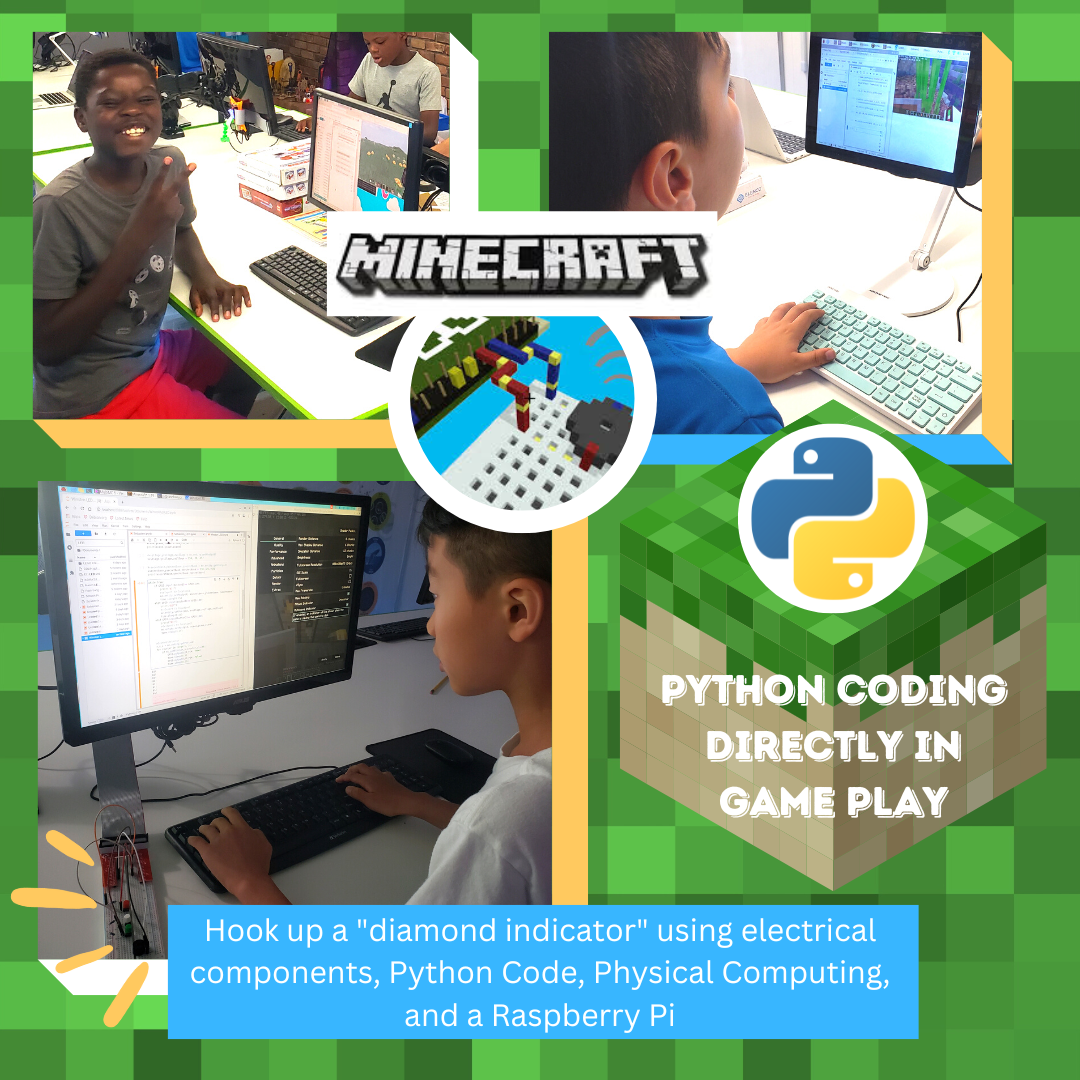
Furthermore, we take it to next level yet again by teaching students how to write code to HACK into the Minecraft world using the world’s most powerful coding languages like Python and Java. We really blow their minds when we bridge the physical world by connecting LEDs, buzzers, and buttons that they can code to bridge the Minecraft virtual world to the real physical world by making sounds, teleporting at the push of a button, or creating a diamond detector that lights up an LED when near a diamond resource! This area of study is known as Physical Computing and I have used it throughout my physics career; whether to look at individual atoms on a multi-million dollar Transmission Electron Microscope (TEM) at Brookhaven National Lab or to probe the magnetic moment of elements at the billion-dollar Advance Light Source synchrotron at Lawrence Berkley National Lab. I learned these skills during college — What will these young innovators come up with when they are starting as early as 6 years old?!
Get Started
Our SciTech Summer Camp is a great place to begin. It is Minecraft centric and goes deep into STEM!
Minecraft is available across most major platforms. We encourage you try it out for yourself. To download it and get started click here. This is a great starting tutorial for Survival Mode. If you have any questions don’t hesitate to reach out and we will try to get you pointed in the right direction 😉
Digital fabrication technology also referred to as 3D Printing or additive manufacturing, is a method of making a physical object from a three-dimensional model from a digital file or CAD model. It is ‘additive’ in that it doesn’t require a block of material or mold to manufacture physical objects, instead, the material is deposited, joined, or solidified under computer control, with material being added together, typically layer by layer.
Sounds high-tech doesn’t it? But believe it or not, computer-aided additive manufacturing processes have been around for more than 30 years. However, the technology, now most commonly referred to as 3D Printing, is advancing rapidly, making its way to labs, schools, and even homes, reshaping manufacturing in the 21st century.
3D design and fabrication opens up inspiring possibilities and opportunities. Users from kids to adults can immediately hold, evaluate, test, and use their ideas, reshaping the fields of art, design, architecture, science, technology, and engineering by revolutionizing how things are made.
But you still might be asking:
Why bring 3D printing into the lab?
How can 3D Printing help my child learn problem-solving skills and develop critical thinking?
How will 3D Printing technology engage my child and help them in their future?
To help answer those questions, let’s dive into the Top 3 Reasons STEAMwhiz Uses 3D Printing as an Educational Tool.
Top 3 Reasons for 3D Printing in the Lab
1. Put the “A” in S.T.E.A.M
The arts are vital for student success!
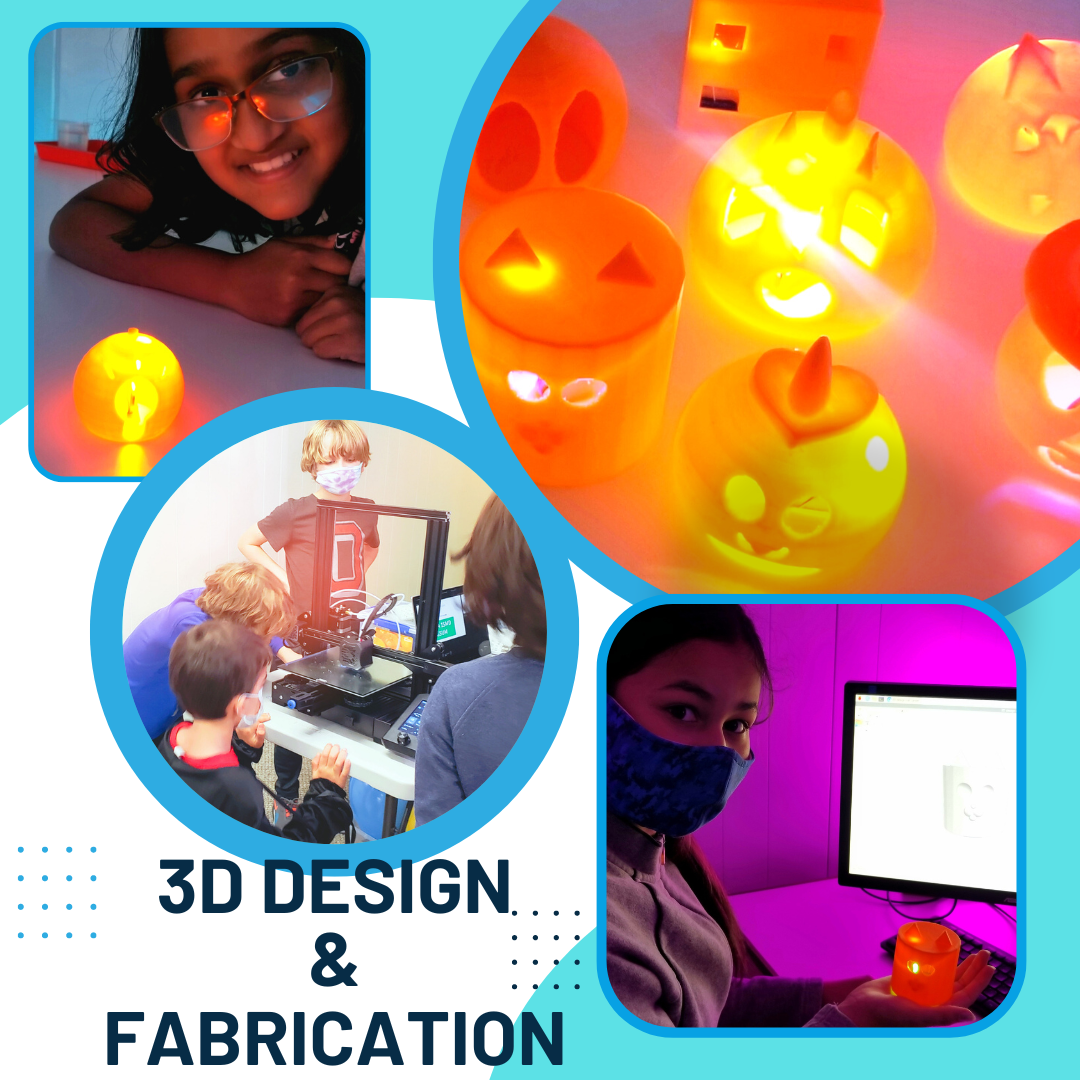
3D Printers have emerged as powerful tools to introduce art in the lab, where students have the freedom to create, innovate, and solve. Through the use of 3D design and fabrication, our lab participants, your students, will engage themselves in the full design process from start to finish. Using computer-aided design (CAD) software, lab participants will design 3D objects using elements of art, math, and engineering and then create physical representations of that object using one of our several printers.
By designing 3D objects using CAD software, students can better understand how 3D shapes fit and work together to create 3D models based on their imagination, as well as scientific and mathematical principles. Being able to understand how 3D shapes work and fit together can also result in an improvement in spatial intelligence, an overlooked indicator of future student success, and a vital part of learning development, according to a recent study by Vanderbilt University.
2. Growth Mindset – Learn from Failure
In a traditional classroom, student success is normally measured by a passing or failing grade on a test. While there are many flaws in this approach, this approach mainly ignores the lessons that can be learned from failure. The lessons we learn from failure are just as important as the lessons we learn from success, or even more important. Failure develops resiliency, and being able to learn from our mistakes is a vital skill that we want to support in our students – not only as a character trait but also as a skill set for their future.
3D design and fabrication have been proven to be great tools for facilitating learning through failure. As students undergo the design process of analyzing, modifying, and testing their design multiple times before they are successful. If a print ends up failing, students will be able to go back to analyze and modify their design until they are successful. Even Yoda said, “The greatest teacher, failure is.”
3. Real-World Problem Solving
Giving our students dynamic experiences can instill the passion for ‘thinking & doing’ and plant seeds for the future.
Not only does the 3D printing process from design to fabrication make subject matter and technical subjects more engaging but also ignites students’ curiosity and interest in STEM fields – this is especially valuable when applied at an early age. This is why we have created a lab program specifically designed for our littlest ‘thinkers & doers’ from 5.5 to 7 years old.
One of the biggest benefits of 3D printing is its ability to facilitate real-world problem-solving in the lab. Whether it’s accelerating the innovation process so students can experience the entire product design process from A to Z or innovating actual designs to solve current real-world problems from assistive technology to 3D printed coral, to large structures such as bridges, houses, and even boats.
3D Printing has the power to change the way students learn! But make no mistake – leveraging educational technology isn’t as simple as having the latest and greatest technology in the lab – it’s about effectively integrating that technology into the curriculum in a way that engages, supports, and inspires all learners and that’s what we do here at STEAMwhiz – CREATE + INNOVATE + SOLVE!
Get Started and Jump In
Getting started is easy thanks to great free tools specifically designed for kids! We highly recommend TinkerCAD as a great entry point into to start thinking and designing in 3 dimensions. Even better you can take these creations and send them to us to 3D print for you =D
We are gearing up to reach more early education students across the good ol’ US of A in the latter half of 2022 (stay tuned). Our mission is to empower more students with the knowledge to become innovative problem solvers that will prepare them for their future, not our past. Our Co-founder and Program Director Allie and I have worked at all levels of the nation’s education system, from public school teachers to curriculum developers at National Laboratories to doing fundamental research at the highest levels of science in America to working at Fortune 100 companies! We are creating both in-person labs and digital courses (coming Fall/Winter 2022) to pass this knowledge on to the up and coming generations. This means that we are not developing one-off projects but a deep curriculum for students rooted in (S)cience (T)ech (E)ngineering (A)rt (M)ath to provide the fundamental and technical acumen to become the innovative problem solvers of tomorrow. You might ask why STEAM? Well, we believe that these fields have a bright future that will not only provide excellent careers for young students but allow them to be creative in amazing ways and exploits their natural curiosity about the world around them. By tapping into their potential, as early as 6 years old, we believe they will be able to find solutions to the novel and difficult problems they will face in the future!
Physical Computing
An amazing development in the last decade or so is the accessibility of Physical Computing for young students! What is physical computing and why is it important? Well we know computing is related to computers right 😋 let’s give it a bit more of a formal definition
COMPUTING is any goal-oriented activity requiring, benefiting from, or creating computing machinery.
Wikipeda
In other words, it’s the use of a computer to accomplish some goal or task. This typically resides inside of the computer in the virtual world. Some examples are creating a scientific model to predict the weather or writing a blog post like this one 😄
Now we add the word PHYSICAL to the term COMPUTING and we move out of the virtual-only world and interact with the physical ‘real’ world as well.
PHYSICAL COMPUTING involves interactive systems that can sense and respond to the world around them.
This is basically at the heart of all our technology; bridging the human physical world with the virtual technological one! Now imagine the amazing creativity and ingenuity that the next generation of students can explore with these tools at their disposal, if we transform the when, what, and how we teach them!
Raspberry Pi’s
The GP (i.e. General Purpose) are the PINs used for physical Computing
Ok, so how does the Raspberry Pi fit into all of this? The Raspberry Pi is an amazingly powerful, little single-board computer that is relatively inexpensive for students to explore Physical Computing. What makes it different than any other computer? While it is a ‘normal’ computer that can be used to browse the internet, write a document, and code a program, it also has an amazing suite of programs geared for kids to explore computing! Moreover, it has special PINs called General Purpose Input Output PINs (aka GPIO PINs) that allow the Raspberry Pi to connect to sensors, lights, motors, actuators, buzzers, pumps, and so much more. It bridges the physical world into the virtual one like the videos above!
STEAMwhiz Pi
One challenge of the Raspberry Pi is that there is a barrier to entry that requires a certain level of technical understanding to really unlock its power. So what we have done at STEAMwhiz is create a wonderful plug and play solution for parents and students, which we call the STEAMwhiz Pi 😅
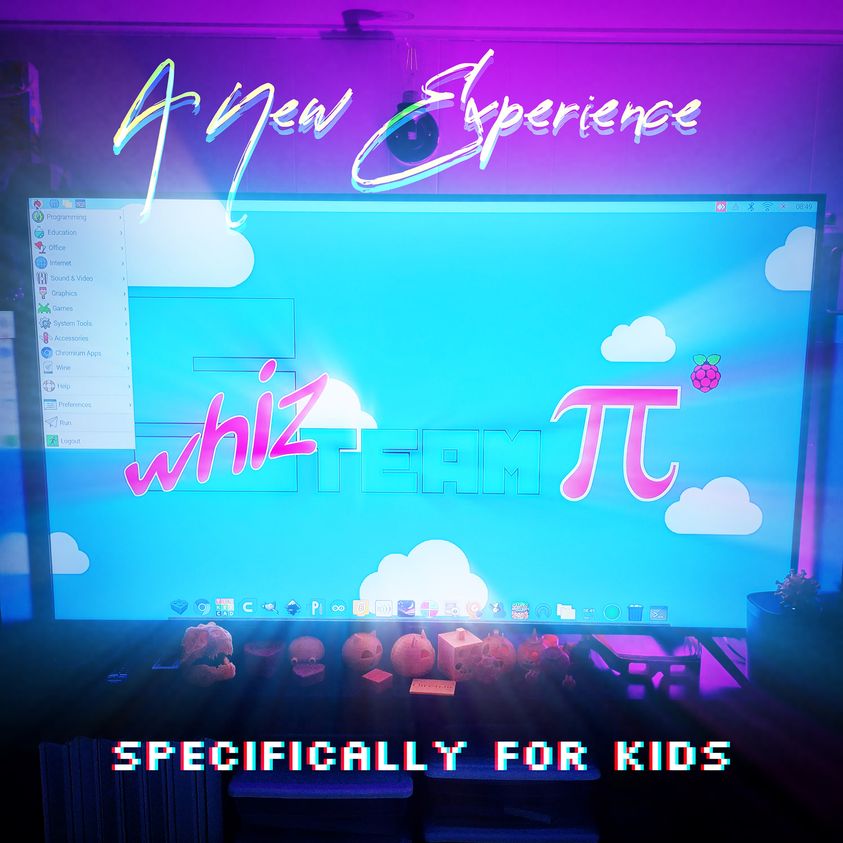
The STEAMwhiz Pi (pictured above) is basically an exact clone of what we use in our in-person labs, with a touch screen and the exact software configuration we use to teach our students throughout the academic year! This allows for our students to continue working & innovating at home well after they leave the lab. Bonus they can use it for their school work too, as it’s a full-blown desktop computer!
Isaac putting in the work at home and doing physical computing after lab!
Where is this all going? Well, while there are great tutorials online and fun project boxes, most are not really targeting early education & holistic curriculum development. So it is possible for some very driven students to learn, but it’s mostly geared toward an older audience through standalone disconnected projects. In Q3 & Q4 of 2022, we will begin the rollout of our STEAMwhiz app to deliver STEAM courses specifically targeting early education which will be a full-blown curriculum to provide our decades of experience to students across the country in a fun animated storybook fashion. The STEAMwhiz Pi is the first step so parents can just plug and play a system for their children to begin exploring the world of physical computing! You can learn more about the STEAMwhiz Pi here.
Getting Started in Physical Computing
In the meantime, while we roll out our STEAMwhiz app, we encourage our students and parents to check out the links below to get started in the world of physical computing and get those inquisitive minds working! Feel free to reach out if you have questions or comments and we will be happy to engage.
This tutorial introduces some basic electronic components and how to use a great coding language called Python to control LEDS, buzzers, and more! Python is ubiquitous in research and industry throughout the world and is an excellent first coding language to start out with.
The tutorial above introduces physical computing using a drag and drop visual block coding language known as Scratch. If you are unfamiliar you can read more about it in our other post here. We recommend this for students who can read and write but are just starting to dip their toes into coding.
Once you have gone through the tutorials above you can check out more here fun projects from the Raspberry Pi Foundation.
Come to the lab and have your kids create, learn, and give mom a gift that keeps giving! Together with the STEAM-TEAM, they will use the laser engraver and illustrator software to create Mom a customized flower box for Mother’s day.
They will pick the seeds of their choice, from flowers to herbs, add soil and plant them. Just show up and we will do the rest!
Its Thanksgiving weekend and we want to thank our Capital District community for all the support!
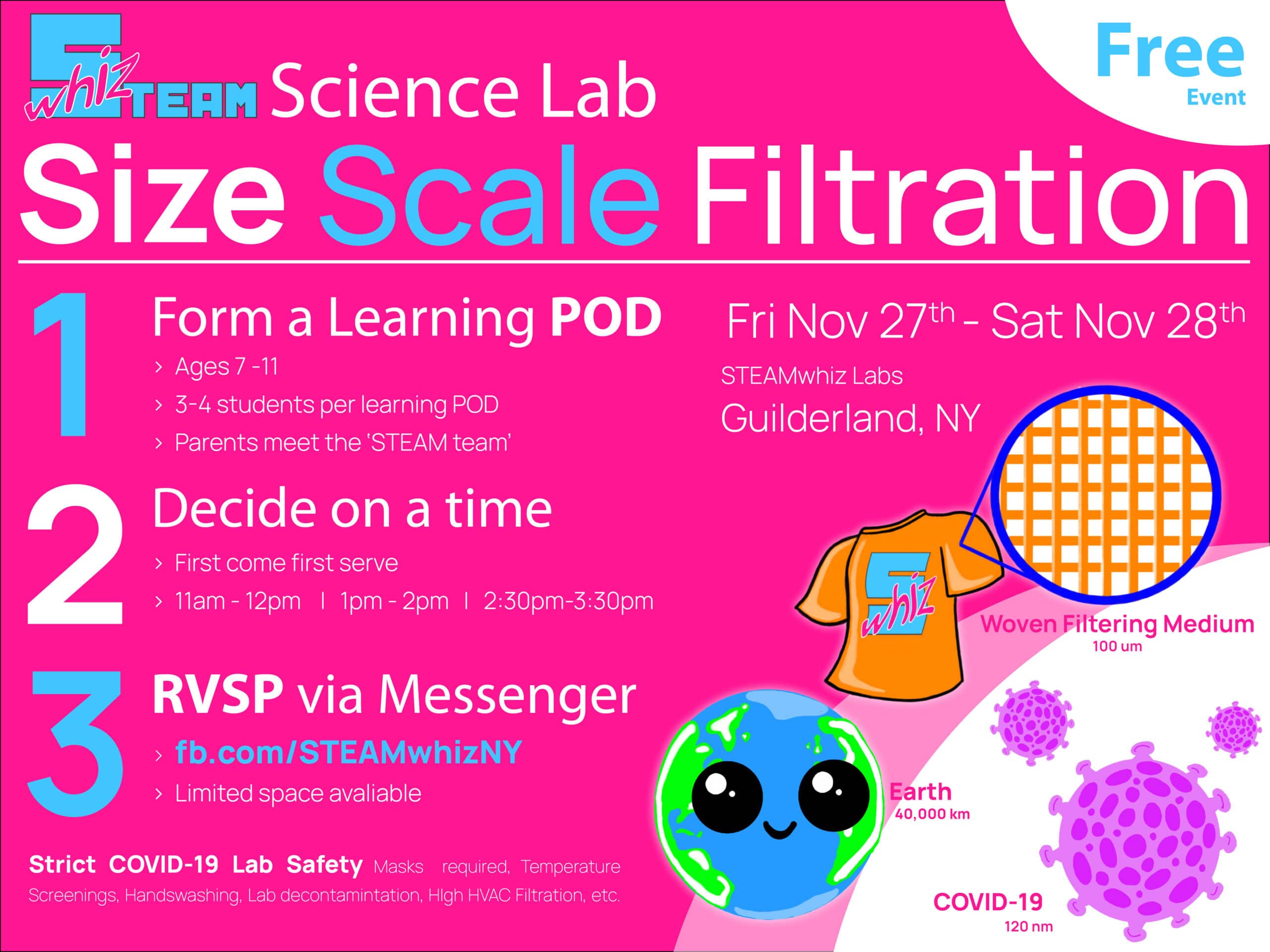
Come join us if you are in the NY capital district Thanksgiving weekend. See the image for details.
Who is this for?
New students ages 7-11 from in NY’s capital district. Parents will get to see the lab and meet the ‘STEAM-team’.
What is it?
A free science lab where kids will explore how size & scale relate to mask filtration.We will be collecting non-perishable food items for @GuilderlandFoodPantry. We ask you to bring some food to donate, if you ‘can’ 😉
To RSVP
Message us on fb.com/STEAMwhizNY or use the chat button in the bottom right corner of this page.
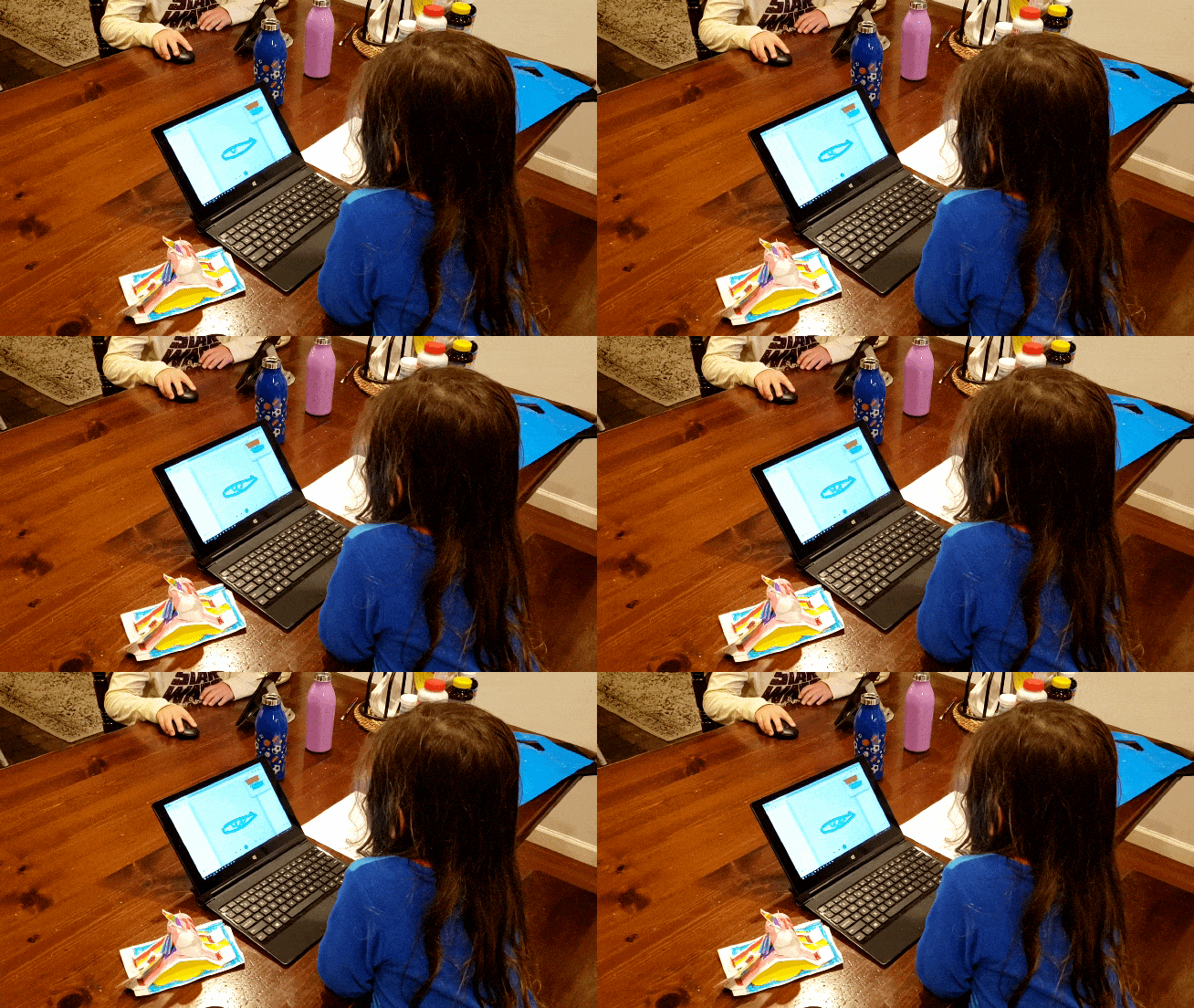
Amazing Elle (4 yr) and her brother (7 yr) designing their pumpkins in CAD. Come together, organize your learning POD of 4 kids, and let STEAMwhiz beat back the COVID-slide by planting the ‘creator -thinker’ seeds of success. Limited spots available, sign up for HalloSTEAM 2020 today!
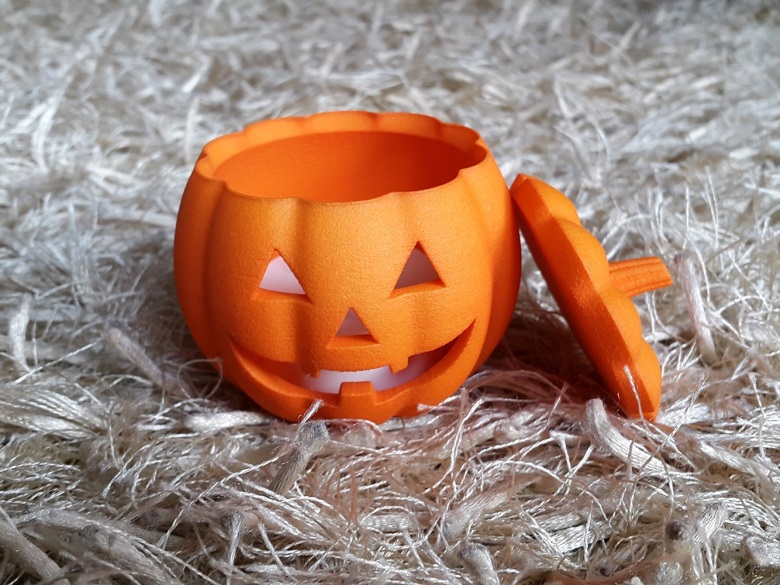
Happy Hall-O-STEAM! Kids from the Capital District NY can get hands-on in our lab, learn LED science, and fabricate their own glowing 3D Printed pumpkin! Create a learning POD with up to 4 friends and RSVP today, Oct. 24th – Oct. 31st. Parents are encouraged to join and see the STEAMwhiz method in action! Ages 7-13.
Discover how STEAMwhiz makes serious science, seriously fun and empower your NextGen Thinker(s) to DISCOVER, TEST, ANAYLZE, AND CREATE.
HalloSTEAM Lab
Ready to have your kids get hands-on and learn about science and technology this Halloween?! Hall-O-STEAM by STEAMwhiz is ready to make serious science, seriously fun, and empower your NextGen Thinker(s) to DISCOVER, TEST, ANALYZE, and CREATE. Your children will explore Light-Emitting Diode technology, Computer-Aided Design, and 3D printing under the guidance of our STEAM-team experts to design, create, and take home their very own 3D Printed glowing pumpkins. Ages 7-13.
Any questions? Please don’t hesitate to reach out to us via Facebook or email us.
“You want to wake up in the morning and think the future is going to be great – and that’s what being a spacefaring civilization is all about. It’s about believing in the future and thinking that the future will be better than the past. And I can’t think of anything more exciting than going out there and being among the stars.” – Elon Musk
4 days ago history was made and it was awesome! SpaceX and NASA’S launch marked the start of the commercial crew era of U.S. human spaceflight and a return to American operated spacecraft. The SpaceX Falcon 9 rocket carrying NASA astronauts Robert Behnken and Douglas Hurley aboard SpaceX’s Crew Dragon spacecraft launched from Kennedy Space Center on May 30, 2020, and docked 19 hours later with the ISS. NASA’s SpaceX Demo-2 mission to the International Space Station is a critical final flight test of the SpaceX crew transportation system.
I can’t believe it has been almost 10 years since the last American space shuttle was launched. Launches were tracked, watched in school, celebrated accomplishments, or mourned losses. Space was my thing! When the book, Apollo 13 was released, my friend and I had a competition to see who could finish it the fastest. I don’t quite remember who won that competition, but I do remember dreaming of becoming an astronaut. Even though my life path was turned in a different direction, I never stopped being awed by the greatness of space, space flight, and space exploration. Maybe my love from space came from living a short drive from Cape Canaveral and being able to witness rockets shooting to the stars. But I believe it is something much simpler, ingrained in all humans, uniting humanity together; the spirit of exploration! And this launch revived that spirit in me.
NASA, America’s space program, will continue to work with commercial companies like SpaceX and Boeing to design, build, test, and operate cost-effective human transportation systems to low-Earth orbit and eventually beyond. While this is an important mission, this is not what brought on tears and goose-bumps as I watched SpaceX’s Falcon 9 rocket the Crew Dragon spacecraft safely to the ISS with my young children. It was being able to witness the spirit of humanity working together and creating a “future better than the past” for my children and my children’s children. While STEAMwhiz is not physically launching astronauts into space (hmmm…maybe one day!), we hope our philosophy to inspire a love of learning and doing by making keen observations, asking insightful questions, and learning exciting stuff, will keep humans among the stars. We and all humankind are ready for the ‘Next Giant Leap!’
There is scattered (pun intended) information out there regarding mask/filter effectiveness, and being the ‘STEAM’team, we had to test things out for ourselves and make sense of all the noise. So we constructed an experiment, hooked up some sensors, wired some electronics, and put the filters to the test. If you need a mask, you can order the STEAMwhiz mask which we found to perform just as good as N95 masks in our tests. Read here to learn why STEAMwhiz is printing masks.
Intro
We are busy cooking up a nice research article “COVID-19: What you Need to Know”, so we won’t go into details here such as how big is the virus, do I need a mask, or how is the virus spread, etc. Instead we will focus on comparing the performance of different masks to N95 masks.
The N95 Mask Standard
N95 masks are typically made up of 3 separate layers and the main filter medium consists of non-woven polypropylene. The ‘N’ in N95 stands for ‘Not Oil Resistant’. There are two other classifications ‘R – Resistant to oil’, ‘P – Oil Proof’ but for protection against COVID-19, N-type masks are what we are after. The ’95’ declares a 95% filtration efficacy of 0.3 micron (um) particles. If you are interested you can read more about the mask and standards over on the CDC’s website. We will detail ‘how good’ a mask needs to be for COVID-19 in the aforementioned research article. For this article, our goal will be to compare mask filter medium to N95 masks, as it is the standard used every day in the medical field for folks who are constantly exposed to various contagions.
Setup
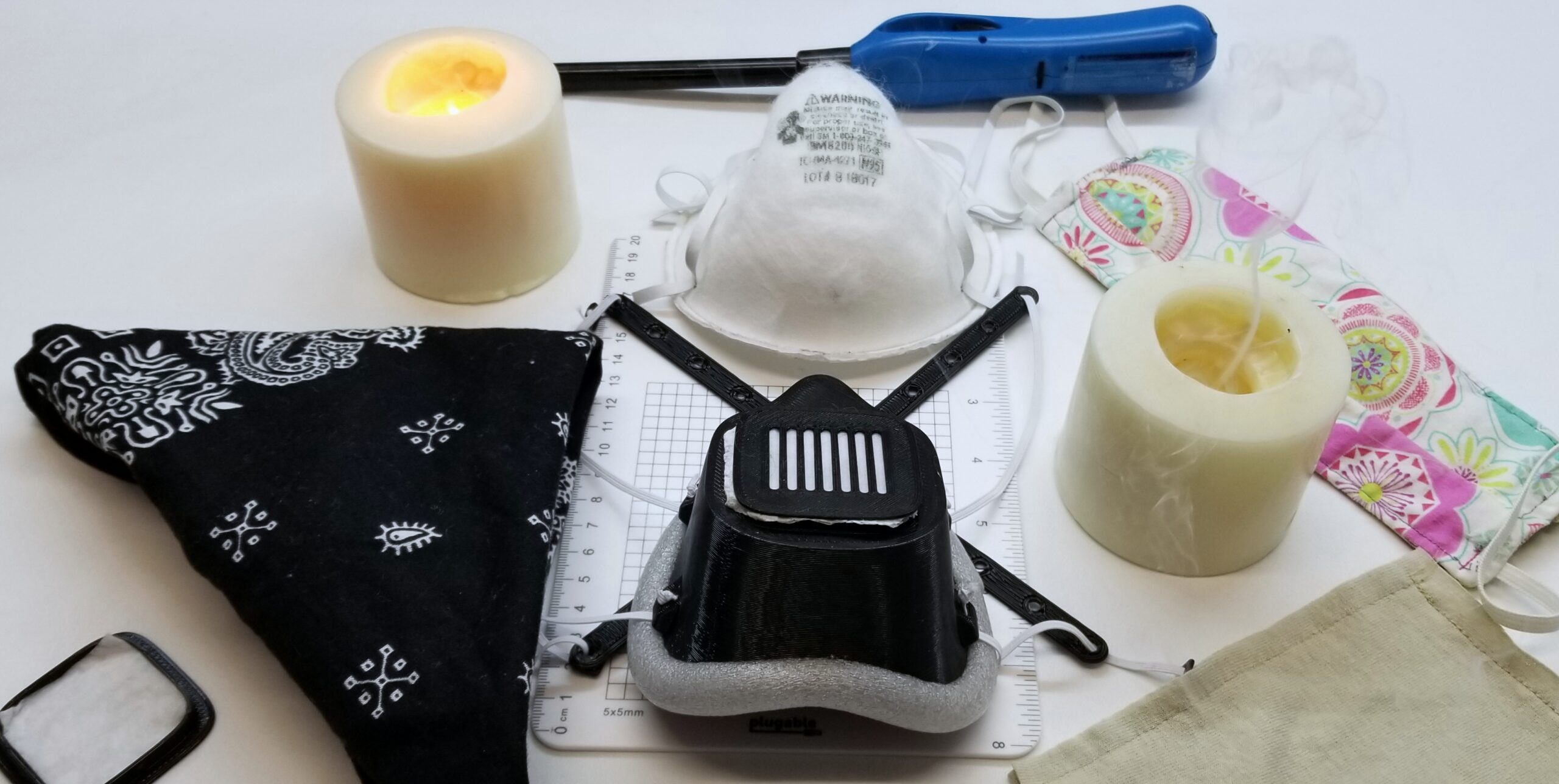
We researched various setups and decided to go with a ‘candle test’ and laser-scattering particle detector to see which filter was up to snuff. When a candle is extinguished it generates a spectrum of fine particles and is routinely used in research for filtration tests. We funneled these particles up to the filter medium without any additional acceleration from fans etc. The particle detector has a resolution of 0.3 microns (particle size used to rate N95 masks) and was placed in a custom-airtight housing after the filter medium. For the filter mediums, we decided to test the following: an N95 mask (which is made up of three layers), the polypropylene filter medium used in the STEAMwhiz masks, and three fabric-type mask – a two t-shirt layered mask, a quilted-muslin-quilted fabric mask, and a folded bandanna (making two layers total). We also exposed the sensor directly to the particles as a control. The room humidity was 42% and the ambient temperature was 20 C for all the following tests.
Results and Discussion
Figure 1 shows the the number of particles above certain sizes. The No Filter (red) is basically the saturation point for the sensor for each particle size.
From Figure 1 we can gain some insight to the performance of each mask type. Some of the important takeaway are:
The bandanna mask (orange) appears to offer no detectable filtration for particles below 1.0 um and modest filtration for particles above 2.5 um.
The t-shirt mask (green) is slightly better than the bandanna where we can detect some effectiveness for particles above 1-micron
The quilt mask (turquoise) is the best performing fabric mask and is the only fabric mask to offer some form of sub-1-micron particle filtration
The N95 and STEAMwhiz masks appear equivalent and successfully filter out all particles above 2.5-microns
Figure 2 shows the number of particles for various size ranges.
Figure 2 clearly shows how much better the polypropylene-based masks perform across the board. The N95 and STEAMwhiz filters allowed approximately 50 particles ranging from 0.3-0.5um per 0.1L of air, whereas the fabric masks allowed 100 – 1000 times more particles through their respective layers. Interestingly, the multi-layered quilted mask becomes quite effective for particles larger than 10um. The bandanna was left off due to its overall ineffectiveness, but the t-shirt mask was 10 times worse than the quilted mask and approximately 1000 times worse than the N95 and STEAMwhiz masks.
Figure 3 shows an image of a (a) bandanna and a (b)t-shirt.
Figure 3 shows close up images of the (a) bandanna and (b) t-shirt. You can clearly see the woven pattern and regular holes/pores typical of fabric materials. The pore sizes for the bandanna where slightly larger than the t-shirt at 135.8 um and 105.2 um, respectively. We also noticed that the t-shirt had more fibers that seems to cross the pores which effectively would reduce the size of the pores.
Figure 4 shows a magnified image of the (a) N95 mask and the (b) STEAMwhiz mask filter mediums.
We wanted to look more closely at the filter mediums that performed the best to better understand the differences. The N95 mask shown in Figure 4 (a) shows a dense pattern of non-woven fibers. The STEAMwhiz mask shown in Figure 4 (b) also shows a dense pattern of slightly larger non-woven fibers. The two filter mediums also varied in total thicknesses/number of layers. The N95 mask had 3 primary layers that measure approximately 0.5 mm, while the STEAMwhiz had about 5 layers and was 1.5 mm in total thickness. So why do the masks perform so well? There are no pores! The fibers cross each other at various angles which fill in any large pores and is unlike what we see above for the woven fabrics.
Conclusion
If you have access to some N95 masks, you should use them as they are quite effective at removing ultra-fine particles (duh). If you don’t have one, no worries, you can order the STEAMwhiz masks we’ve tested. Not only does it perform just as well as the N95 masks in our test above, but you will also help curtail the critical shortage of N95 masks for our amazing health care workers who knowingly exposing themselves to a deadly virus. It is also much more comfortable and easier to use which you can read more about here.
For the masks to be effective fit is critical; if it doesn’t fit it won’t work well and you can forget about how well the filter medium works. Health care works are typically fitted for N95 masks to maximize their effectiveness. The STEAMwhiz masks come in various sizes and the tension is easily adjustable to help ensure a snug fit.
If you need to wait for a mask and are still going out and about, using fabrics that you have around the house is a great idea! We suggest using the multi-layered mask above, but even a bandanna around your nose and mouth offers some level of protection starting at the 2.5-micron range. While this won’t filter out the coronavirus itself (~0.125 microns), the particles that are spread from a sneeze or cough are typically attached to large particles tens of microns in size. So even a bandanna will offer some level of protection for you and those around you (in case you are unknowingly infected). You can read more about our coronavirus research here ‘COVID-19 What you Need to Know” (coming soon).
We hope this was informative and helpful. While we have spent quite of bit of time getting these things together, it feels good to know we are doing something to help keep people safe and get our country back working again! Feel free to leave us a comment below or contact us with any questions.
If you like our educational content consider supporting STEAMwhiz by checking out our store or donating to the cause =D
Join the Waitlist!We always strive to serve our students by opening new classes, shifting times, and more. When you join the Waitlist, you'll be notified as soon as a spot becomes available. (We do not sell or use your information for anything other than STEAMwhiz. You can unsubscribe at any time!)